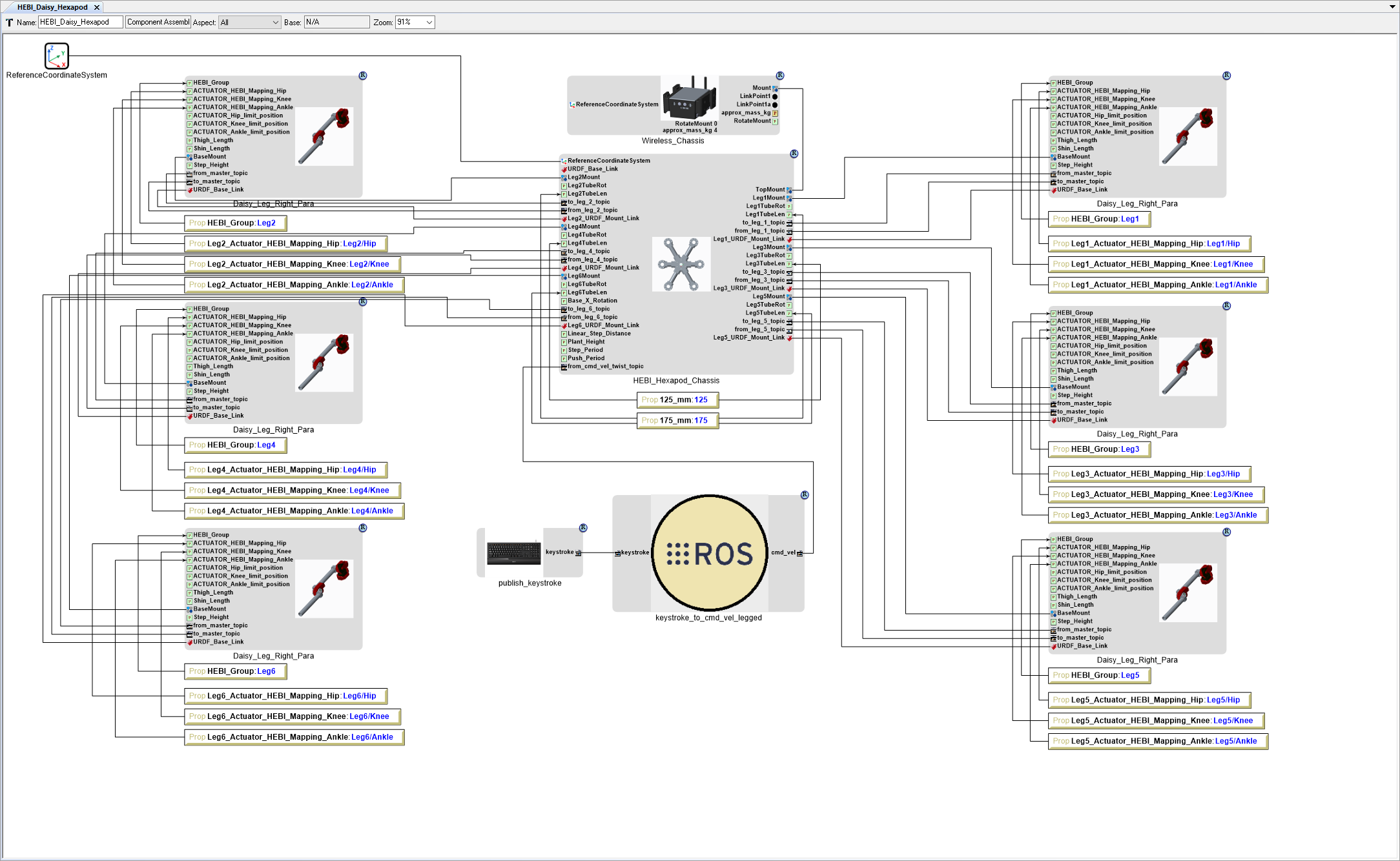
Add User Input
We need to add a couple ROS Nodes to allow an end-user to control the Daisy Hexapod robot.
Add publish_keystroke ROS Node
We need to add a ROS Node to capture user keystrokes and publish them on a ROS Topic.
- Locate the GME Browser window.
- Right-click on the RootFolder > A_Behaviors > 0_Generic_Robot > 0_User_Interface > 1_Keyboard > publish_keystroke Component and select .
- Inside the HEBI_Daisy_Hexapod Component Assembly canvas, right-click and select .
Add keystroke_to_cmd_vel_legged ROS Node
We need to add a ROS Node to listens to the keystroke ROS Topic and publishes to the cmd_vel ROS Topic.
- Locate the GME Browser window.
- Right-click on the RootFolder > A_Behaviors > 0_Generic_Robot > 0_User_Interface > 1_Keyboard > keystroke_to_cmd_vel_legged Component and select .
- Inside the HEBI_Daisy_Hexapod Component Assembly canvas, right-click and select .
Connect ROS Nodes
Connect the publish_keystroke model’s keystroke port to the keystroke_to_cmd_vel_legged model’s keystroke port.
Connect the keystroke_to_cmd_vel_legged model’s cmd_vel port to the HEBI_Hexapod_Chassis model’s from_cmd_vel_twist_topic port.